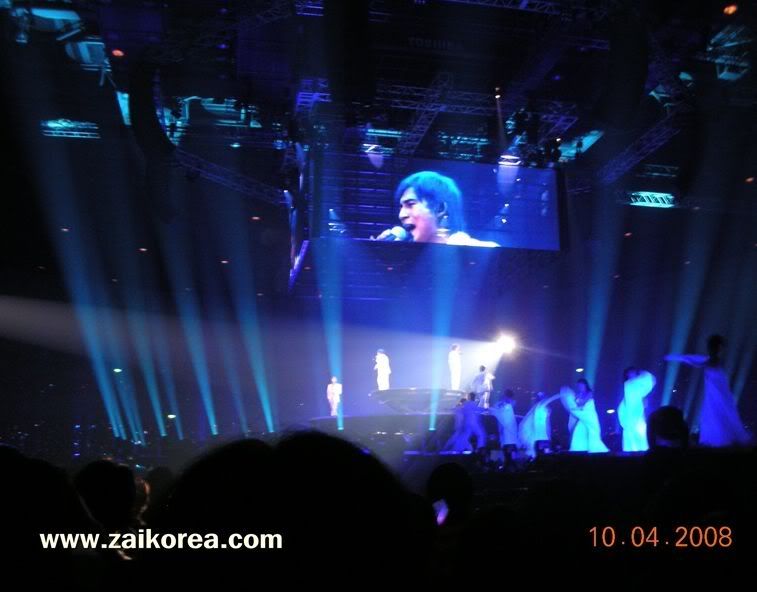
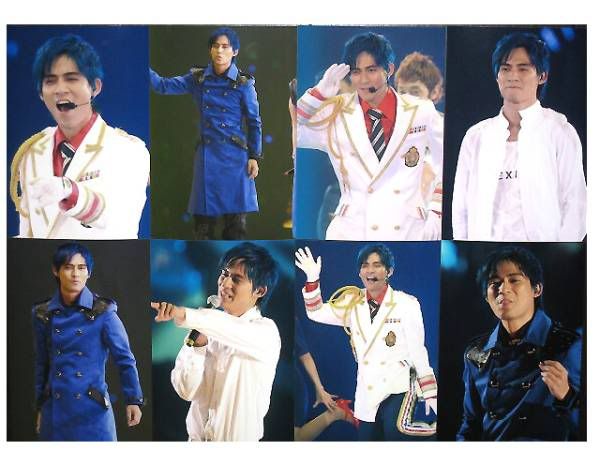
Today is Day 2 of the F4 Japan Concert in Yokohama. F4 have been receiving many praises and compliments by audiences who went to the concert. Zai Zai gave himself to this concert. He interpreted both very serious and very funny songs and he acted very naturally. He showed a surpirising acrobatics on wires.
YOKOHAMA ARENA - Flowers from Zai Zai's fans (VicPower fansclub), from many different countries:
These were F4 miniature dolls sold at the arena which were said to be SOLD OUT very fast!
Today marked the beginning of fantastic events for F4 fans in Japan, where they will have series of concerts in the F4 Japan Tour 2008.
Seven years ago, a group of young blood, acted in a drama series METEOR GARDEN sparked a massive enthusiasm among young and old, boys and girls. Jerry Yan, Vic Zhou, Ken Zhu and Vanness Wu quickly become famous overnight. F4 was so hot, they have become the new favorite of advertisers, regardless of what is selling, advertised, as long as they are 4 together, it certainly was panic buying.
Until this day, their fans still existed. Their works still appreciated. Now they are going to show us once again that F4 jiu shi F4 mah!...Viva The Flower 4!
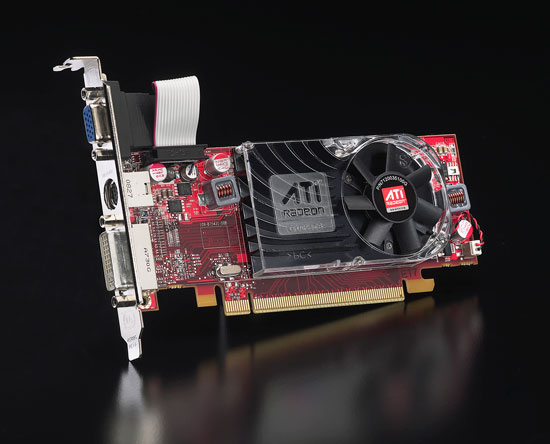
AMD today announced the introduction of the ATI Radeon HD 4550 and ATI Radeon HD 4350 graphics cards, the latest additions to the award-winning ATI Radeon HD 4000 series graphics line up. These feature-rich graphics cards deliver exceptional gaming and HD multimedia performance at value prices. Both cards are based on the same technology found in the celebrated ATI Radeon HD 4800 series, including support for the latest DirectX 10.1 games and superior HD multimedia capabilities.
Delivering mainstream-class performance at a value price, the ATI Radeon HD 4550 graphics card plays demanding game titles previously unplayable by cards in this price segment, and for less than USD $59 for a 512MB memory configuration. An even more incredible value, the ATI Radeon HD 4350 graphics card is the ideal introduction to the ATI Radeon HD 4000 series, priced for less than USD $39 for a 256 MB memory configuration, giving gamers and multimedia enthusiasts more features than products available from the competition today.
The ATI Radeon HD 4550 and ATI Radeon HD 4350 graphics cards are supported by a dozen add-in-board companies offering custom designs of the products. Partners include ASUS, Club 3D, Diamond Multimedia, Force3D, GECUBE, GIGABYTE, HIS (Hightech Information Systems), Jetway, MSI, Palit Multimedia, PowerColor, SAPPHIRE Technology and VisionTek.
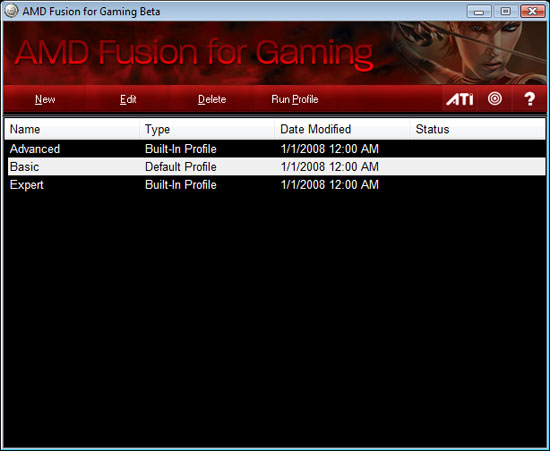
As well as launching its new Fusion marketing campaign, AMD has also used its favourite new name for the Fusion for Gaming utility. This isn’t just another Windows overclocking app, though; the idea behind the utility is that it unclogs all the surplus processes from your PC before you run a game as well.
This application is targeted at the not-so-hardcore gamer who still wants to get the most out of his or her system. The idea is that at the press of a button that sits on your desktop, you could engage a system state that is more gaming friendly.
There are two factors at work here. The first is overclocking via a link between the Fusion for Gaming utility and AMD’s Overdrive software and the Catalyst Control Center, which allows the utility to overclock your CPU and graphics card. The second is that PC gaming performance is often hampered by other background processes and apps that aren’t needed for gaming, such as Skype, and this will automatically be stopped by the Fusion for Gaming utility when you hit the big button on the screen.
AMD showed off the application in a webcast, in which AMD’s desktop gaming strategist, Brent Barry, and the ‘mastermind’ behind the software, Casey Gotcher, demonstrated its features. As a quick demo, the pair used a 2.6GHz Phenom X4 9950 Black Edition with various apps loaded. After hitting the big Fusion button (which initiated a dramatic ‘whoosh’ sound), all of the apps disappeared and the CPU clock speed went up to 2.8GHz via a multiplier increase, which was verified in CPU-Z. When the utility was stopped, the clock speed went back down to 2.6GHz and all the apps appeared on screen again.
You may watch the YouTube video here:
Three modes are available, starting with a Basic Mode that just shuts down a few background processes such as power state switching and AMD’s Cool’n’Quiet technology. Next comes the Advanced mode, which goes a step further by shutting down other apps such as web browsers and word processors as well as background processes, although it will stop if any of the shut-down procedures initiate a Save dialogue. As well as this, AMD also says that this mode can initiate hard drive acceleration designed to ‘decrease data seek time’ via the southbridge. This mode will also overclock the CPU and GPU, although only to a set level.
To get complete control over the overclock you’ll need to use the Expert Mode, which lets you select which programs are stopped, as well as the clock speed of your CPU and GPU. Casey Gotcher explained the reasoning for the different modes, saying that the apps’ target audience ‘wouldn’t necessarily be the heatseeker; the ultimate enthusiast who knows how to tweak every aspect of his system.’
The biggest benefit to the average non-enthusiast consumer would probably be shutting down background applications and restarting them. Things like Windows Defender and virus scanners and messaging programs and email programs and all the little random stuff people like to have up and running while they are surfing the web or getting work done. Any one of these programs might not really impact performance, but having a lot going on just increases the chance of stability and performance issues. An easy way not only to shut all this down, but also to bring them all back up, would go a long way in helping average gamers get more out of their system.
The Fusion for Gaming Utility is currently only supported in Windows Vista 32-bit, although 64-bit support is promised for a later date.
Here is The Future is Fusion Web page where we can download stuffs like AMD Fusion animation, whitepaper, screensaver or even desktop wallpaper : http://www.amd.com/us/fusion/Pages/index.aspx